When you are working on a new brand identity or a custom logo, the typography you choose sets the entire mood. If you want your project to feel timeless and sophisticated, the Praise Font is a strong contender. Designed specifically for branding and logo projects, this typeface brings a classy, elegant feel that helps small businesses and creative professionals stand out. Whether you are a print-on-demand seller creating boutique apparel or a designer crafting packaging for a luxury skincare line, having the right serif style makes a noticeable difference in how customers perceive your brand.
What makes this typeface ideal for branding and logos?
Branding requires a careful balance between readability and personality. You want something that catches the eye but remains legible at small sizes. This typeface offers stylish ligatures that connect certain letters, giving your text a custom, hand-lettered appearance without the high cost of hiring a calligrapher. It includes a complete character set with uppercase letters, numerals, and essential punctuation. Because it features multilingual support and PUA encoding, you can easily access all the special characters, swashes, and alternates directly within design software like Adobe Illustrator or crafting programs like Cricut Design Space.
How does it compare to other serif styles?
If you have been browsing through a modern bundle of serif fonts, you might notice that many lean heavily into strict minimalism. While clean, minimal styles are great for tech startups, they often lack the romantic or vintage charm needed for lifestyle, beauty, or wedding businesses. On the other hand, if you usually work with a retro bundle collection of serif fonts, you know that older, heavier styles can sometimes feel too dated for a fresh, modern logo. This specific typeface strikes a perfect middle ground. It offers a refined, delicate look that feels both current and classic. You can explore more details on the specific product page for this serif font to check the full character map before adding it to your library.
What files are included and how do I use them?
When you download the package, you receive three versatile file formats to cover all your creative needs:
- .otf (OpenType): Best for desktop design software like Adobe InDesign, Illustrator, and Photoshop. This format fully supports the advanced ligatures and OpenType features.
- .ttf (TrueType): Highly compatible with both Windows and Mac operating systems, as well as cutting machine software. It is the go-to format for crafters using Silhouette or Cricut.
- .woff (Web Open Font Format): Perfect if you are building a website and need to use the typeface for your site's headers, ensuring your web typography matches your printed materials.
Who is this typeface best suited for?
This elegant style is incredibly versatile, but it truly shines in specific use cases:
- Small business owners who need a memorable, high-end logo for their coffee shop, bakery, or boutique.
- Print-on-demand sellers creating elegant mugs, tote bags, or custom wedding invitations that require a romantic touch.
- Graphic designers working on product packaging, labels, and tags that need to communicate quality and sophistication.
- Creative hobbyists making digital scrapbooking layouts, custom greeting cards, or personalized gifts.
How can I get the best results when designing?
To make the most of this typeface, keep your layout clean. Because the letters have a lot of character and beautiful flowing lines, they do not need much decoration around them. Let the typography do the heavy lifting. Pair it with a very simple, clean sans-serif for your body text or secondary information. This contrast ensures that the elegant headers stand out while the rest of your design remains easy to read.
Before you finalize your next project, run through this quick checklist to ensure you get the best results:
- Check the ligatures in your design software by enabling the OpenType features in your character panel.
- Test the uppercase letters at different sizes to ensure readability on both digital screens and printed materials.
- Use the .woff file if you are coding a website, ensuring your brand typography matches across all platforms.
- Leave plenty of white space around your logo so the delicate lines of the typeface are not crowded.
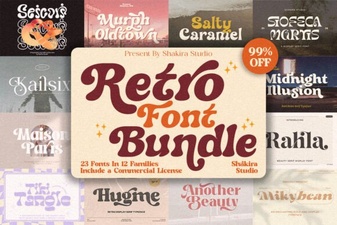 Retro Bundle Collection Font for Vintage Branding
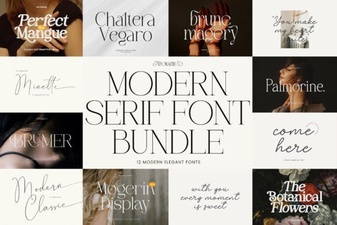 Modern Bundle Font Ideas for Creative Web Design
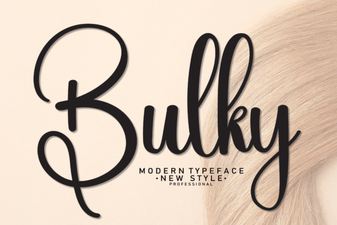 How to Use a Bulky Font for Bold Graphic Design
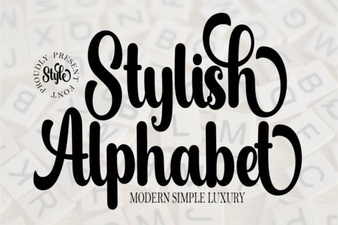 Elevate Your Typography with a Stylish Alphabet Font
 Minimalist Font Guide for Clean Web Design
 Designing Cozy Projects with Jennies House Font