When you need a typeface that feels both romantic and modern, the Barbie Font is a fantastic choice for your creative projects. This elegant and flowing handwritten font brings a classy calligraphic influence to your designs while keeping a fresh, contemporary vibe. Whether you are designing wedding invitations, branding materials, or social media graphics, the varied baselines and smooth lines give your text a natural, human touch. It includes gorgeous glyphs and stunning alternatives, making it highly versatile for crafters and small business owners who want their work to stand out.
How does the Barbie Font perform on different design projects?
Choosing the right typeface can make or break a design. Because this script font features smooth, connected lines and a slightly varied baseline, it mimics real handwriting. This makes it perfect for projects that need a personal touch.
- Wedding stationery: The calligraphic style works beautifully for save-the-dates, menu cards, and envelope lettering.
- Print-on-demand apparel: The flowing lines look great on t-shirts and tote bags, especially when paired with minimalist graphics.
- Small business branding: Use it for logos, business cards, or packaging to give your brand a boutique, high-end feel.
If you are working on a project that requires a slightly more relaxed, everyday handwriting style, you might also want to explore the Daily Calm script to see how a different baseline variation affects the overall mood of your layout.
What makes a handwritten font look natural and not robotic?
Many digital scripts look stiff because every letter sits perfectly on the same line. The Barbie Font avoids this by using varied baselines, meaning the letters bounce up and down slightly just like real penmanship.
Additionally, the font includes stunning alternatives and gorgeous glyphs. Using these alternate characters prevents the design from looking repetitive when typing longer quotes. It keeps the reader's eye moving smoothly. For projects needing a bit more playful energy, pairing it with the Chiffoncake pairing can give you a beautiful contrast between a bouncy script and a clean secondary typeface.
How can I pair this script with other typefaces?
A common mistake when using elegant script fonts is pairing them with another highly decorative typeface. To let the beautiful curves of your main script shine, keep your secondary font simple.
Here are a few pairing strategies that work well:
- Classic Serif: A traditional serif font for the body text grounds the design and makes it look established and trustworthy.
- Clean Sans-Serif: A geometric or humanist sans-serif creates a modern, airy contrast that lets the script be the star of the show.
- Textured Display: If you are designing for a rustic or vintage theme, a slightly textured display font can add depth without competing with the smooth lines.
Sometimes, you might want a secondary script that has a completely different personality. Checking out options like the Wild Flower Honey collection can help you find a complementary style if your project requires two different handwritten elements.
Are there any tips for using script fonts on craft materials?
When moving from digital design to physical crafts, the thickness of your font matters. Because this typeface maintains a classy calligraphic influence, the thinnest parts might get lost when cutting vinyl or printing on dark fabric.
To ensure your designs transfer well:
- Increase the size of the text to at least 1.5 inches tall for vinyl cutting.
- Use the bolder alternatives included in the font file if you are printing on textured materials like canvas or unbleached cotton.
- If you want to add a bit of sparkle to your physical crafts, you can easily apply textures in your software, or look into specialized options like the I Love Glitter typeface for pre-textured effects.
Before you finalize your next design, run through this quick checklist to ensure your typography is working as hard as your visuals:
- Check readability: Zoom out to 50% on your screen. Can you still read the words easily?
- Test the alternatives: Swap out a few letters using the glyph panel to ensure the baseline looks natural.
- Verify contrast: Make sure the font color stands out clearly against your background, especially for the thinner strokes.
- Review pairings: Ensure your secondary font is at least two sizes smaller than your main script to establish a clear visual hierarchy.
Taking a few extra minutes to refine your letter spacing and check your alternates will make your final project look polished and professional.
Get Started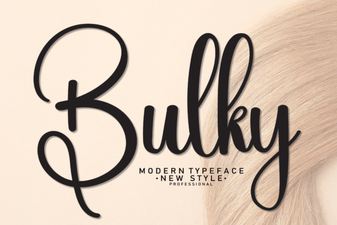 How to Use a Bulky Font for Bold Graphic Design
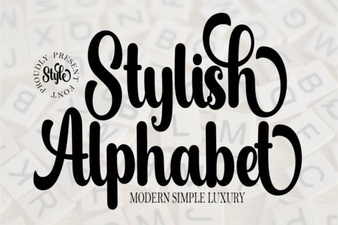 Elevate Your Typography with a Stylish Alphabet Font
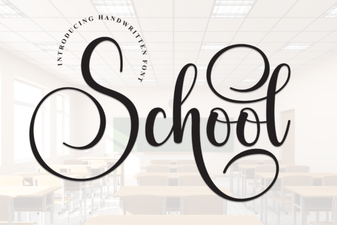 Choosing the Right School Font for Classroom Design
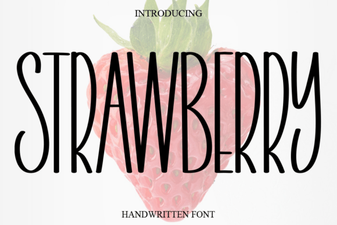 Strawberry Font: Playful Typography for Creative Designs
 Simple Alphabet Font Ideas for Minimalist Design
 Maddison Font: Elegant Typography for Modern Design